
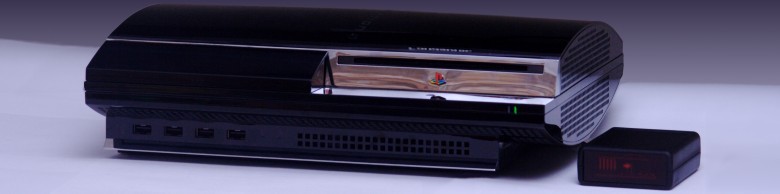
We strive to provide sufficient technical information for both our basic and most advanced users to find the information that they need. If you do not find it here, be sure to Contact Us and let us know.
The USER MANUAL provides all of the information needed to configure and operate your ps3toothfairy.
Discusson Forum
The discussion forum is for users to post questions and interact with other users and the designer. It is located in this thread. It is regularly monitored by the ps3toothfairy designer.
Harmony Setup Instructions
The ps3toothfairy is fully supported by the Logitech Harmony, just use the ps3toothfairy profile, under Game System with DVD / ps3toothfairy. The profile mimics the official PS3 remote as closely as possible -- you will not lose any functionality. For viewing BluRay Discs, you may wish to use the Logitech "Customize Buttons" feature to map a hard key to "Pop Up Menu". The default Harmony key mapping is shown here.
Current Harmony Key Mapping
| Harmony Key | PS3 |
| OK (Hard Key) | Enter |
| Info | Display |
| Exit | Return |
| Frame Advance | Slow Forward |
| PwrToggle | PS |
To Pair the ps3toothfairy using the current Harmony database
- Make sure the LED is off and your PS3 is asking you to press START and ENTER
- Press the ANGLE soft key, LED will blink twice quickly
- Press the Start soft key
- Press and HOLD the OK/Enter soft key until the PS3 screen changes
- Your device is now paired
Bare Kit Assembly Instructions
If you've purchased the BARE kit or are considering it, please read the instructions to familiarize yourself with the process of modifying your remote to work with the ps3toothfairy.
Frequently Asked Questions The most common questions and answers from our users.
Key Map The mapping from PS2 keys to the ps3toothfairy device as well as EFC codes for JP1 users.
HEX Codes for ps3toothfairy functions
| DeviceId | FunctionId | PS3 Key | |
| XX.73 | 100 | Audio | |
| XX.73 | 53 | Red | |
| XX.73 | 00 | 1 | |
| XX.73 | 01 | 2 | |
| XX.73 | 02 | 3 | |
| XX.73 | 101 | Angle | |
| XX.73 | 31 | Green | |
| XX.73 | 03 | 4 | |
| XX.73 | 04 | 5 | |
| XX.73 | 05 | 6 | |
| XX.73 | 99 | Subtitle | |
| XX.73 | 44 | Blue | |
| XX.73 | 06 | 7 | |
| XX.73 | 07 | 8 | |
| XX.73 | 08 | 9 | |
| XX.73 | 96 | Slow Back | |
| XX.73 | 97 | Slow Forward | |
| XX.73 | 15 | Clear | |
| XX.73 | 09 | 0 | |
| XX.73 | 40 | Time | |
| XX.73 | 51 | Scan Back | |
| XX.73 | 52 | Scan Forward | |
| XX.73 | 48 | Previous | |
| XX.73 | 49 | Next | |
| XX.73 | 42 | Yellow | |
| XX.73 | 50 | Play | |
| XX.73 | 57 | Pause | |
| XX.73 | 56 | Stop | |
| XX.73 | 84 | Display | |
| XX.73 | 26 | Pop Up / Menu | |
| XX.73 | 27 | Top Menu | |
| XX.73 | 14 | Return | |
| XX.218 | 92 | Triangle | |
| XX.218 | 93 | Circle | |
| XX.218 | 95 | Square | |
| XX.218 | 94 | X | |
| XX.73 | 121 | Up | |
| XX.73 | 122 | Down | |
| XX.73 | 123 | Left | |
| XX.73 | 124 | Right | |
| XX.73 | 11 | Enter | |
| XX.218 | 90 | L1 | |
| XX.218 | 81 | L3 | |
| XX.218 | 82 | R3 | |
| XX.218 | 91 | R1 | |
| XX.218 | 88 | L2 | |
| XX.218 | 80 | Select | |
| XX.218 | 83 | Start | |
| XX.218 | 89 | R2 | |
| XX.73 | 21 | PS/PowerOn* | |
| XX.73 | 22 | Eject | |
| XX.73 | 47 | Disc Off/PowerOff |
*The Power On and Power Off functionality are provided by the ps3toothfairy. The discrete power on is provided using the "PowerTrack" function detailed in the manual. This can be enabled by the user. PowerOff is provided using a selectable macro within the ps3toothfairy. The XX in the device id is 24,26 (default),28, or 30 corresponding to the ps3toothfairy device addresses. Pronto files for all device Ids are available in the support section.